What's the best way to get your Kindle Highlights into Obsidian?
Your source
Your destination
the one I'm most excited about
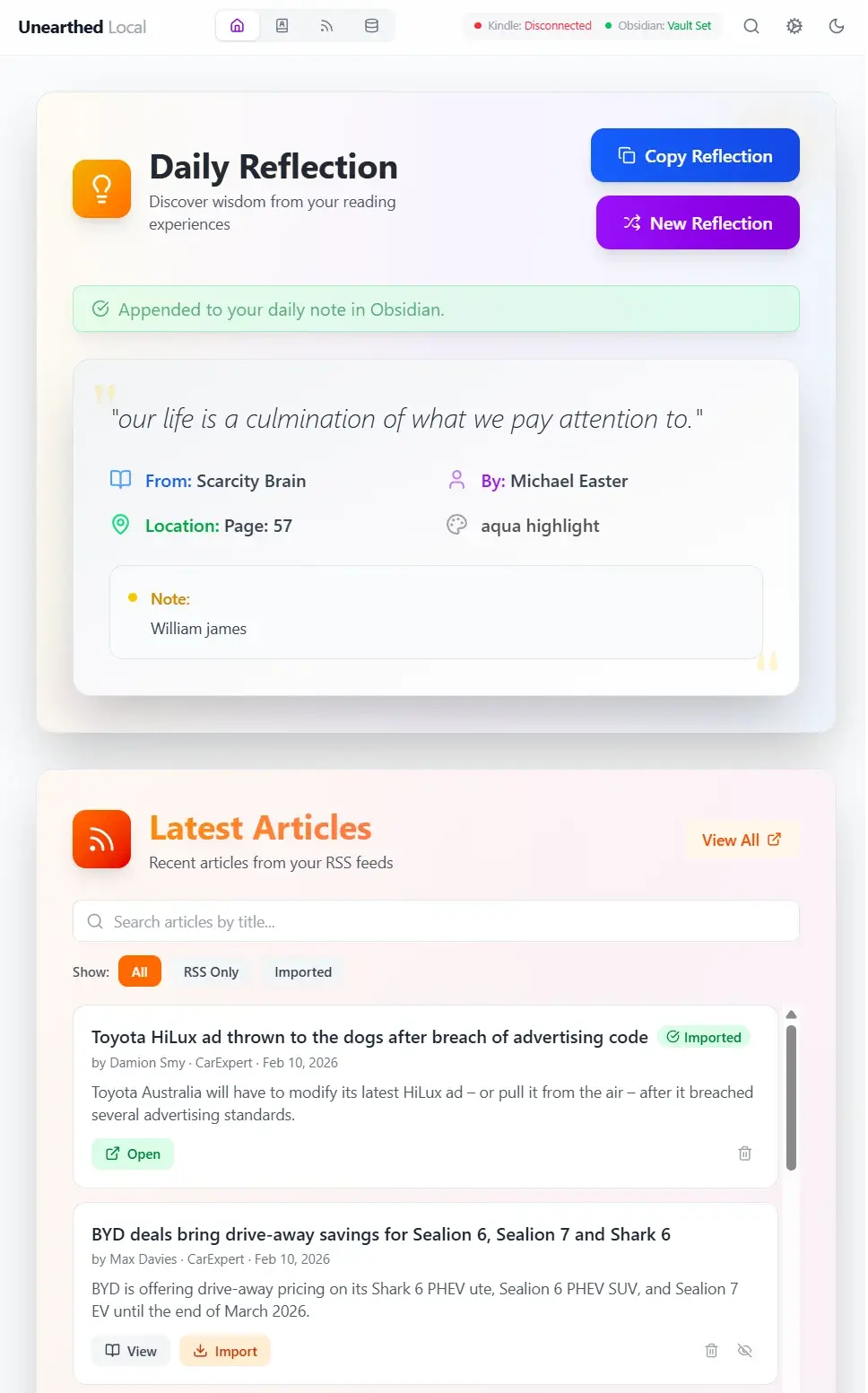
Unearthed Local
. install it on your machine
- Runs on: MacOS, Windows, Linux
- Runs in the background pulling in your Kindle Highlights
- No extra Obsidian plugin needed. Local handles the sync directly
- Syncs your full library to your vault: books, articles, highlights, notes, tags and the daily reflection
- No Amazon credentials required
Stick around for extra features that are included but are optional...
KOReader sync as well
Get your KOReader highlights in the same place as your Kindle ones. They all get merged nicely too. You'll need this fella:
github.com/Unearthed-App/unearthed-koreaderDaily Reflections
Every day unearthed will show you a random quote for you to redigest. This also gets added to your Obsidian Daily note.
RSS Feed
Pull in FULL articles even if the RSS feed restricts it. Articles can be treated as sources, just like Kindle Books. Highlight them in the app and send them to obsidian (in full if you want).
Youtube
Subscribe to youtube channels like an RSS feed. Pull in individual Youtube videos. Get their transcripts with just a click. Youtube videos are treated the same as RSS articles, you can highlight etc.
Webpages
Save entire webpages as an article that you can highlight and comment on.
Don't forget, this all gets sent to Obsidian too
I love this because all the highlights from every source that I consume is now in one spot.
Unearthed Online
- Sign up at unearthed.app
Install the browser extension. It pulls your Kindle highlights
github.com/Unearthed-App/unearthed-web-extensionInstall the Obsidian plugin to sync highlights across
github.com/Unearthed-App/unearthed-obsidian- Plugin pulls your full library into your vault: books, articles, highlights, notes, tags and the daily reflection
- No Amazon credentials required
Extra Features:
KOReader sync as well
Get your KOReader highlights in the same place as your Kindle ones. They all get merged nicely too. You'll need this fella
https://github.com/Unearthed-App/unearthed-koreaderDaily Reflections
Every day unearthed will show you a random quote for you to redigest. This also gets added to your Obsidian Daily note.
AI . I know 😫 but it's optional (opt in).
The intent behind this was to help with question prompting and blind spot detection in my reading. I did not intend for it to replace my brain.
Tags
You can inline tag
Graph view
See connections between books
Blind Spot Detection
Built with transparency in mind
Unearthed Online is open source, including the web app, browser extension, and Obsidian plugin. Feel free to inspect the code, run it yourself, or contribute to make it better.
When linking accounts, Amazon login credentials are never stored or even seen. If you delete your account, it is gone.
View on GitHub✦ Sync to these apps ✦




Unearthed Mobile
I use this the most
A companion app that let's you quickly capture quotes from physical books, allowing them to join the rest of your library.
It does nearly everything Unearthed Local does, but lives on your phone (Android & iOS).
Mainly relies on Unearthed Local for Kindle and KOReader highlights.
OCR : for physical books
Point your camera at any page and select the text you want to capture. Quotes from physical books land in the same place as everything else.
This was a big motivation for me to create the mobile app
Unearthed Mobile →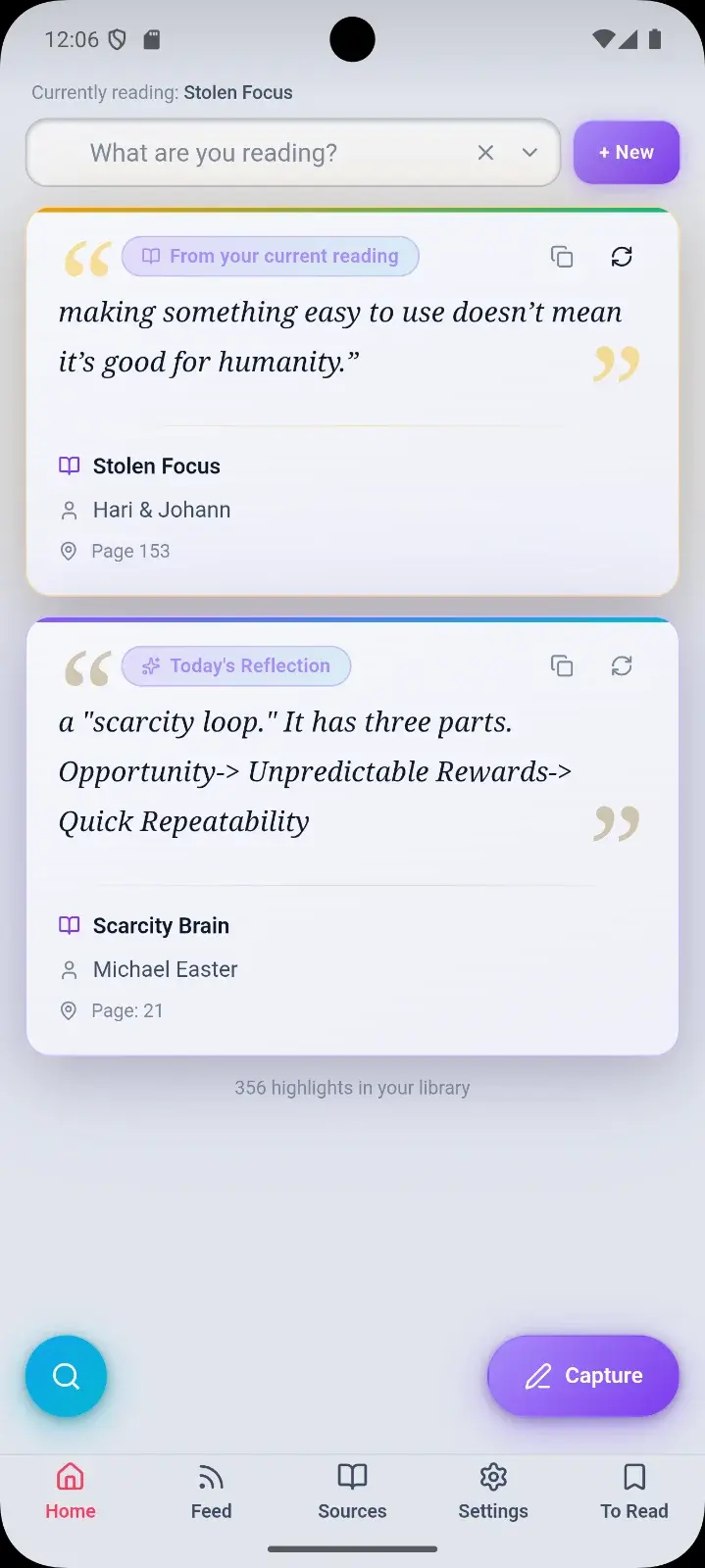
How does it do it?
It is a PWA that talks to Unearthed Local over your wifi. Grabs everything that Unearthed Local has and adds to it. E.g. you can manage your RSS feeds on mobile. It also maintains a database on the phone itself so that it is accessible offline and you don't fully rely on your computer.
“The initial motivation for this was to have my daily reflection with me, capture physical book content quickly, and have my complete highlighting history on me.”
I like this because my pocket contains every quote that I've ever thought was worth saving, ready to share with someone. If I need to quickly remember something from a past book, I can find it instantly, ready for whatever conversation that I'm in. The Daily reflection is also most useful to me in my pocket too.